An LED bulb marked “dimmable” still needs a compatible plug-in lamp dimmer. Check the exact bulb model against the control maker’s approved list, then check the permitted load. A familiar bulb shape or a matching brand name can’t answer those questions. Start with the labels. Keep the model’s manual beside them.
In this guide
Start with the plug-in dimmer’s model number
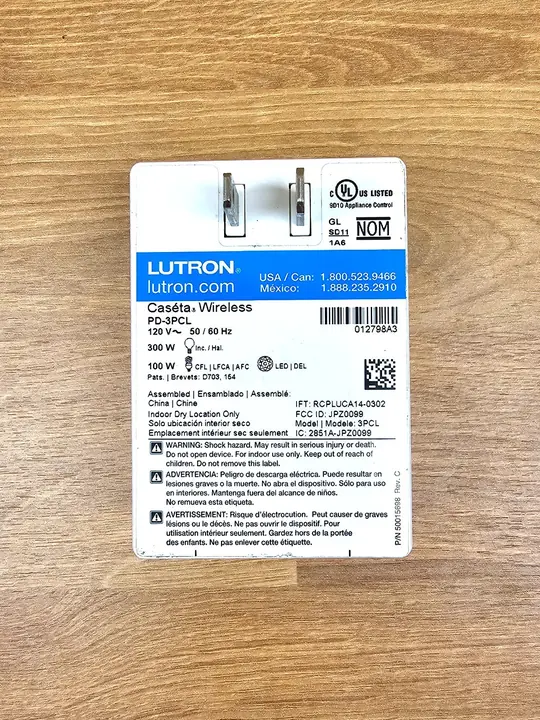
The control’s model number gives you a place to begin. A family name or a photo of its front can leave you looking at a manual for a different product. Find the model on the label or box and use that number when opening the maker’s guide.
The label below identifies a Caséta PD-3PCL. Its printed ratings belong to that model; they aren’t a general rule for every plug-in dimmer. Use the label to identify the control, then read its current support information for the allowed lamp types and compatible bulbs.
Brightness control is one part of a comfortable living room lighting arrangement. If the existing lamp already lights the right seat or surface, checking its dimming options is a useful next decision before replacing the fixture.
Match the LED bulb model, not just the screw base
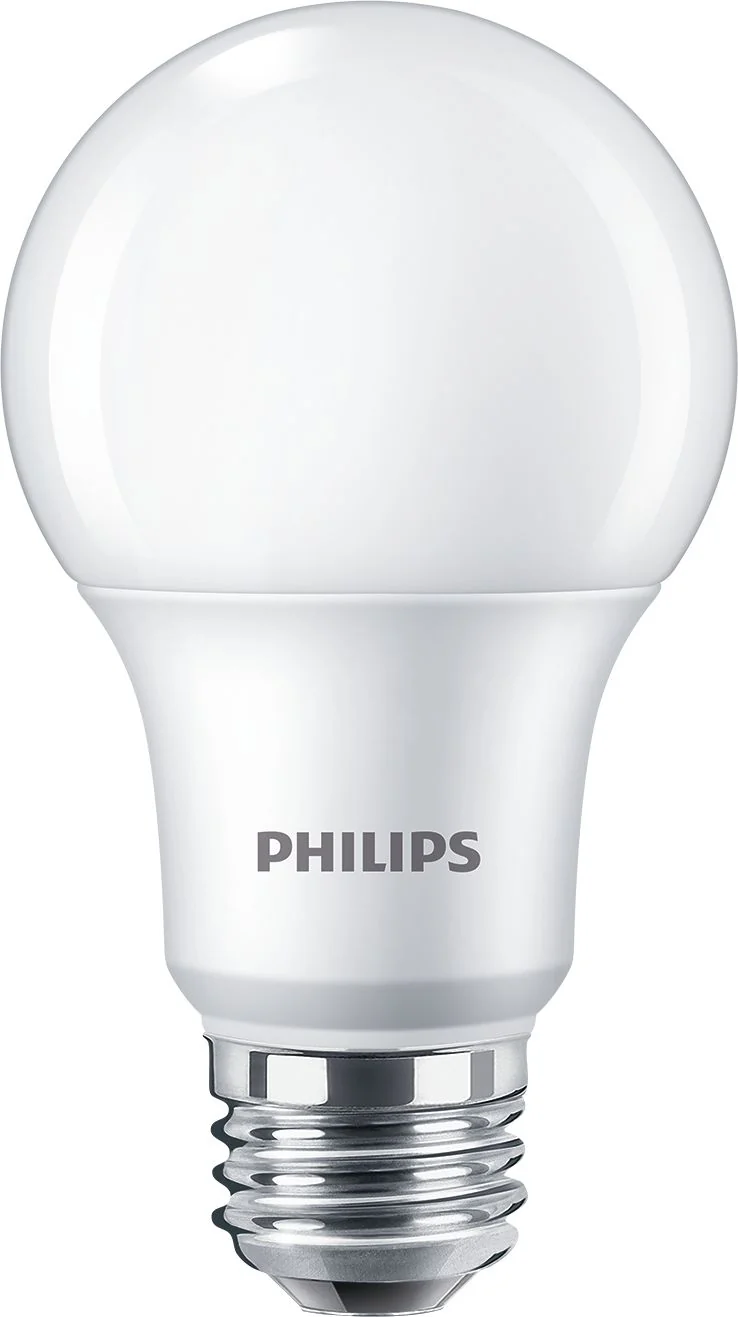
With the dimmer identified, look for the bulb’s exact model code on its box or product page. “Dimmable” describes what a bulb can do, while the approved list names bulbs that work with the control. A similar-looking bulb from the same brand is a separate lookup.
The bulb shown here has a familiar screw base, but its model number isn’t readable in the photograph. The picture helps identify the physical bulb form; it doesn’t establish a match with the dimmer above.
For the pictured control, Lutron directs users to its LED compatibility finder. Keep the full bulb code when checking a result. If the exact code is missing, treat the pairing as unconfirmed and ask Lutron before relying on approval for a nearby model. An old guide’s example list also needs a current check.
Read the LED load limit and the minimum separately
A listed bulb still has to fit the control’s load limits. Look for the rating for LED lighting rather than borrowing the larger incandescent rating printed beside it. If several lamps share a dimmer, check the combined load under the maker’s rules.
The PD-3PCL spec sheet separates LED capacity from incandescent capacity and gives a separate chart for mixed bulb types. That matters when adding a second lamp: each lamp fitting on its own doesn’t establish that the pair fits the control’s limits.
Minimum load is another model-specific check. For the PD-3PCL, the LED minimum is one approved dimmable LED. Don’t turn an incandescent minimum from a different control into a universal LED rule. Read the entry for your control and bulb type together.
Low-end flicker doesn’t identify the cause by itself
Meeting the listed load limits is a starting point; watch how the lamp behaves at the brightness you want. A lamp that looks steady at full output may still flicker or go out near the bottom of its range. Note where the change happens. The bulb may still work at higher settings.
For the PD-3PCL, Lutron describes low-end trim as a way to exclude levels where LEDs perform poorly. Trim limits the available range; it doesn’t establish approval for an unlisted bulb. Use the instructions for your exact control if they provide that adjustment.
| What you notice | What to check next |
|---|---|
| Flicker or shutoff near the dim end | Exact bulb approval and the control’s low-end adjustment guidance |
| A change after adding another lamp | Combined load and any mixed-bulb restrictions |
| A replacement bulb behaves differently | Full replacement model code against the compatibility information |
| Buzzing or behavior the instructions don’t resolve | Manufacturer support for the specific bulb, lamp, and control |
Keep the model details before buying a replacement
Before buying another bulb, save a short note with the dimmer model, bulb model, stated load limits, and the behavior you’re trying to fix. Include whether the problem appears throughout the range or only at a dim setting. Those details give support a more useful question than “Does this work with LEDs?”
I’d keep the bulb packaging until the lamp works at the evening setting I want. The exact code is useful again when a bulb needs replacing; the brand and shape alone leave you repeating the compatibility search.
Explore the full guide: Cozy Living Room Lighting: Start With the Lamps You Have