A smart plug can add remote on/off control to an existing living room lamp, provided the lamp can light when the plug restores power. The catch is the lamp’s own switch: a plug can’t press a touch button for you. Check that behavior before choosing a plug, then check the outlet and the control system you want to use.
In this guide
The lamp’s switch decides whether remote power is enough
A smart plug controls the power reaching a lamp. The lamp still has to be ready to use that power. A mechanical on/off switch that can remain in the on position is a useful starting point; Amazon’s own Smart Plug compatibility guidance specifically calls for a mechanical power switch. That guidance doesn’t establish compatibility for every lamp or every other plug.
Find the model number on your lamp and look for its instructions. The useful question is whether the lamp comes back on after its power supply is interrupted and restored, with its own control left in the intended position. A switch’s appearance alone can’t answer that for a lamp with electronic controls.
| Existing lamp control | What to establish before choosing a smart plug |
|---|---|
| Mechanical on/off switch | The switch can stay on, and the lamp resumes lighting when power returns. |
| Touch pad or electronic button | The lamp’s documented power-return behavior allows it to resume without another touch or press. |
| Built-in dimmer or several brightness settings | The lamp supports this use, and its return setting is suitable for the light you want. |
| Separate remote | Restoring power actually lights the lamp rather than leaving it waiting for a remote command. |
If the manual doesn’t explain the return behavior, ask the lamp manufacturer about the exact model. I would settle that question before buying a control for a lamp I want to keep. A beautiful lamp that needs a fresh button press each time is a poor match for hands-free switching through an ordinary on/off plug.
For a compatible setup, leave the lamp’s own switch on during remote use. Turning that switch off breaks the lamp’s power path, so switching the smart plug on won’t light it. A wall switch controlling the outlet can interrupt the supply too; keep that in mind if someone else regularly uses it.
The connection is lamp cord to smart plug to wall outlet, as the example below shows. Keep access to the plug when choosing its position.
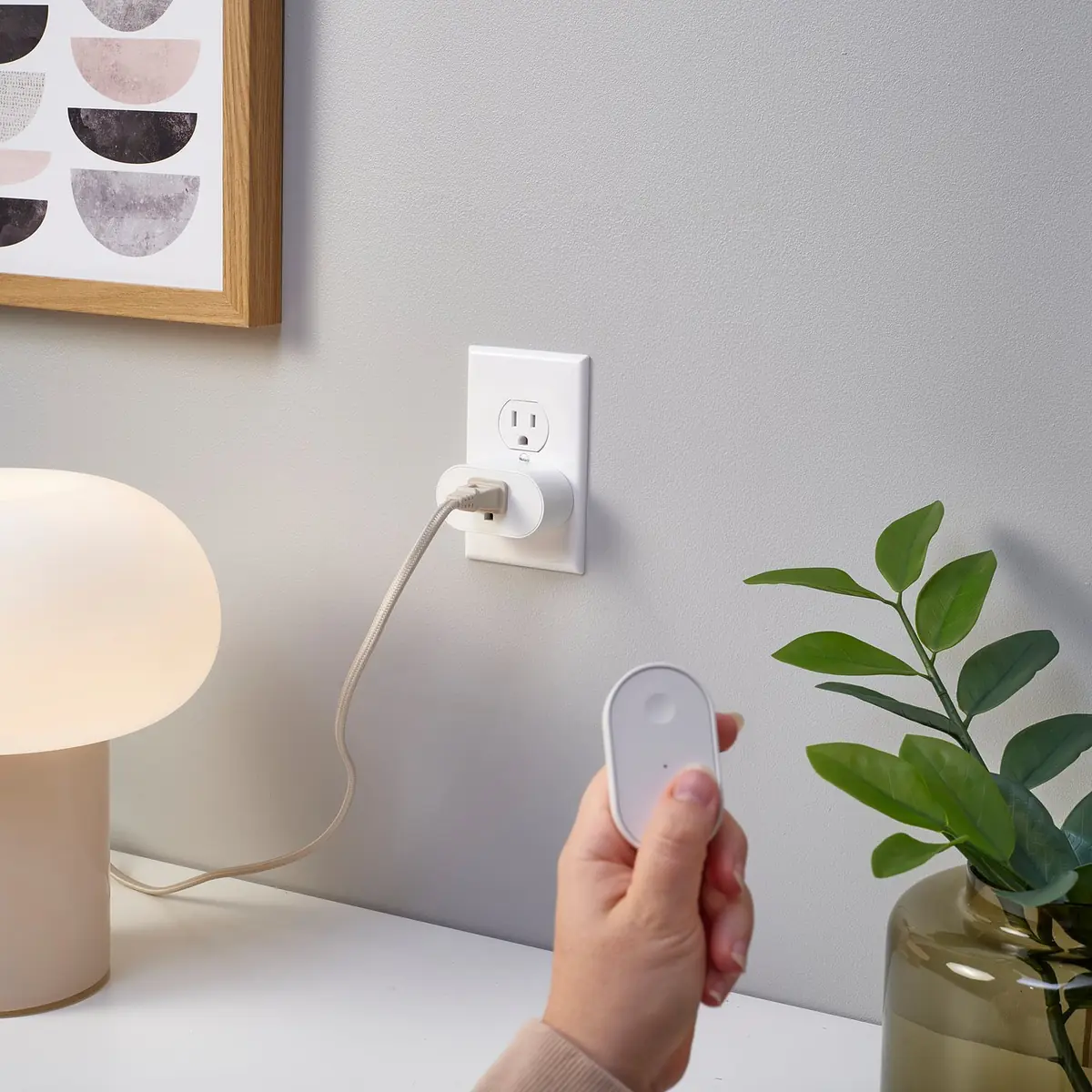
Convenient switching is only part of making the seat comfortable. If the lamp still shines into your eyes, the living room lighting placement guide helps you assess its position from the sofa.
Make room for the smart plug at the outlet
Once the lamp’s behavior is suitable, check whether the added plug will fit where the lamp is already connected. Look at the plug’s width, depth, and orientation against the actual outlet, nearby switches, and neighboring plugs. A product photograph can show its shape, but it doesn’t prove that your other outlet will remain usable.
The front-facing socket below makes the connection easy to see. Its body still adds depth between the wall and the lamp cord, which matters behind a sofa or side table. Leave the space required by the product instructions rather than planning to push furniture tightly against the connection.
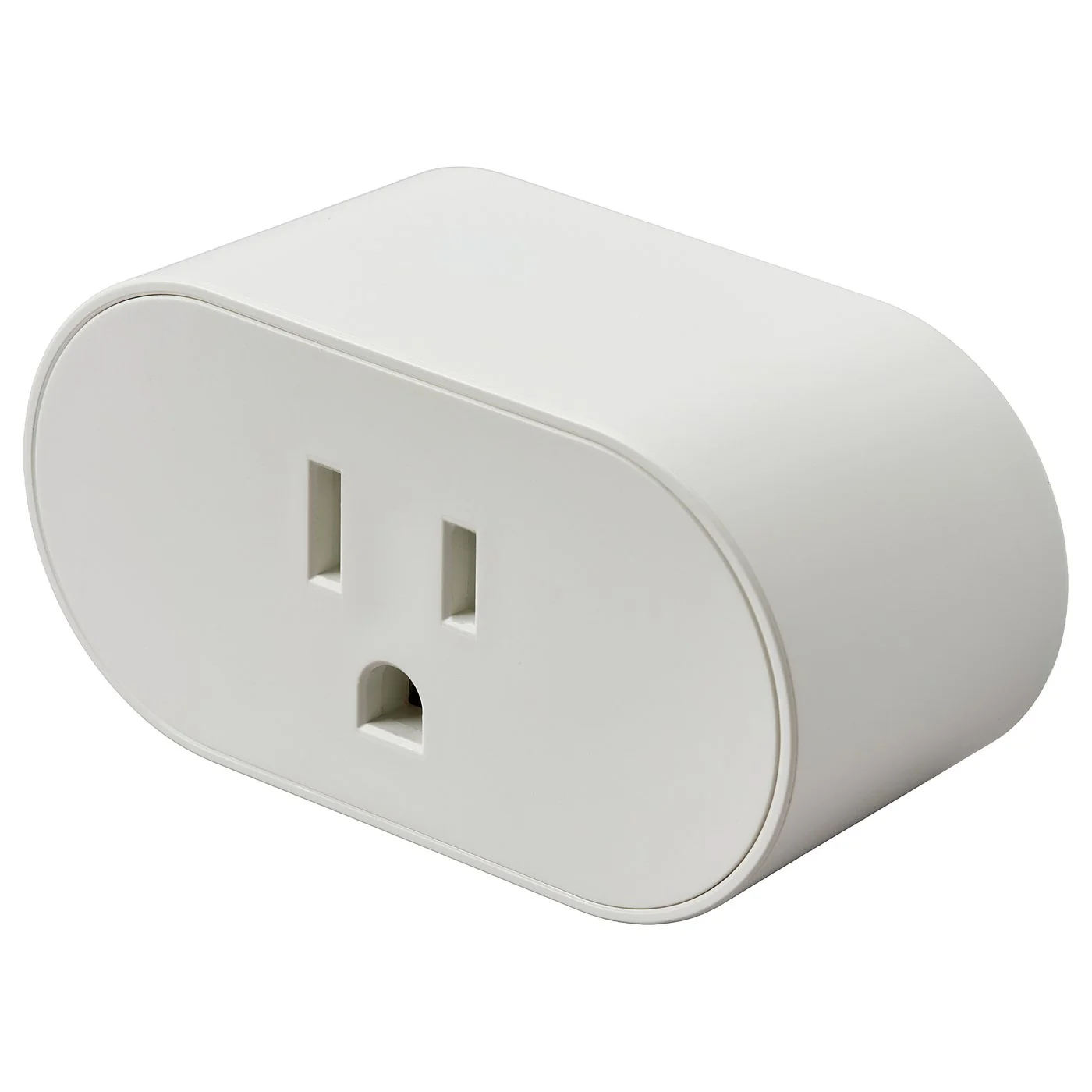
Match the lamp and the selected plug using their own electrical ratings and permitted uses. A headline appliance rating isn’t a universal allowance for every lighting load. Check the instructions for the exact plug and lamp combination; this guide doesn’t assign a shared wattage limit to different products.
Match the smart plug to the controls you already have
Physical fit doesn’t tell you which equipment you need for control. The illustrated IKEA GRILLPLATS plug offers on/off operation through the IKEA Home smart app, a remote, or a motion sensor. IKEA identifies it as Matter over Thread and says phone control requires a Thread Border Router, with DIRIGERA given as an example.
That requirement matters if your plan is simply to buy a plug and use an existing phone. Check the current GRILLPLATS system requirements against the equipment you own before choosing it. Other smart plugs may use a different connection method, so carry their own requirements into the comparison.
Decide which everyday control you actually want: a handheld remote by the sofa, an app, or a control within your existing smart-home system. Follow the chosen product’s pairing instructions, then confirm that the lamp itself turns off and back on through that control. An app showing “on” is only useful here if the lamp lights too.
Remote on/off won’t fix a lamp that’s too bright
A working remote switch solves the reach to the lamp, while brightness remains a separate choice. The GRILLPLATS product page describes turning the plug on and off; it doesn’t establish lamp dimming. Adding that plug doesn’t give a fixed-brightness bulb a dimmer setting.
If lowering the light is the goal, choose a dimming solution whose manufacturer supports the lamp and bulb you have. Keep the on/off purchase on hold until you’ve decided whether simply switching the lamp from the sofa will solve the problem you noticed.
Explore the full guide: Cozy Living Room Lighting: Start With the Lamps You Have